OpenFX plugin · DaVinci Resolve · Premiere Pro · After Effects
AVF FilmLook 5.2.6
The film process in one node: print film, grain, halation, bloom, damage, breath, gate weave, overscan and vignette. Built from scratch, running on the GPU.
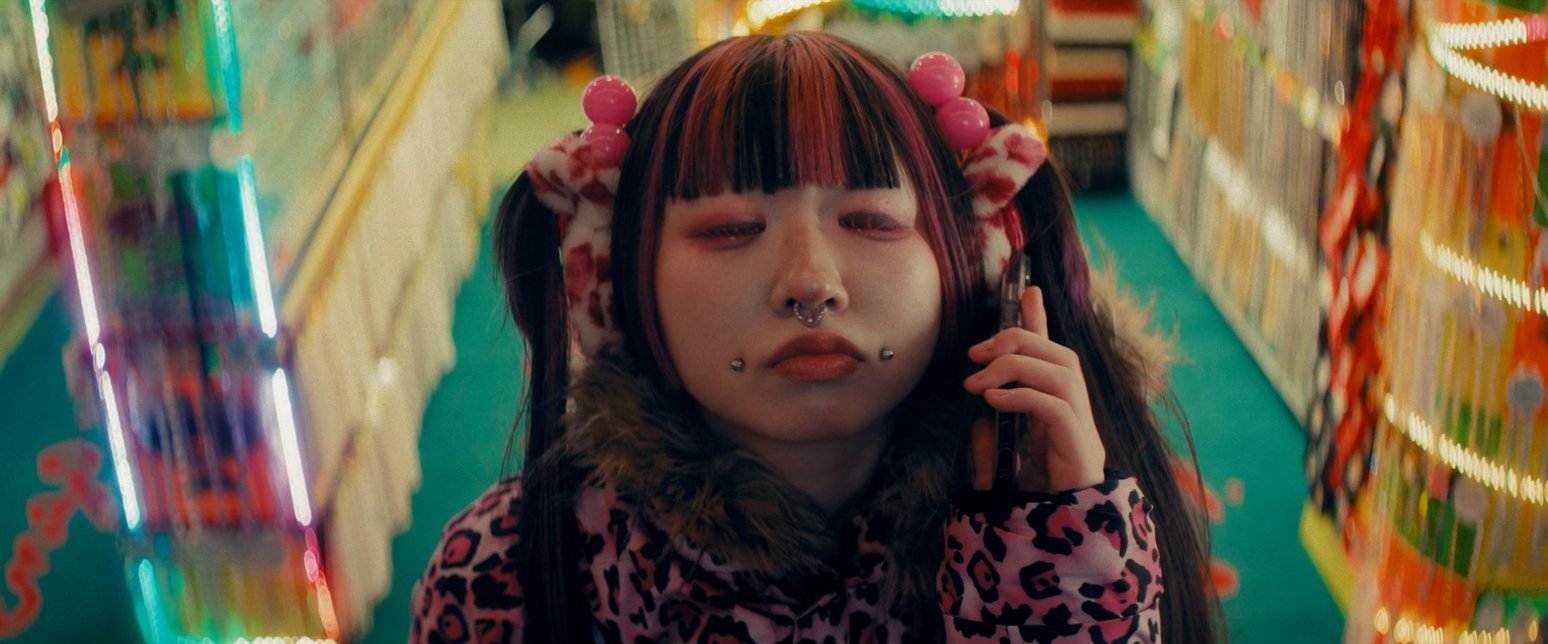
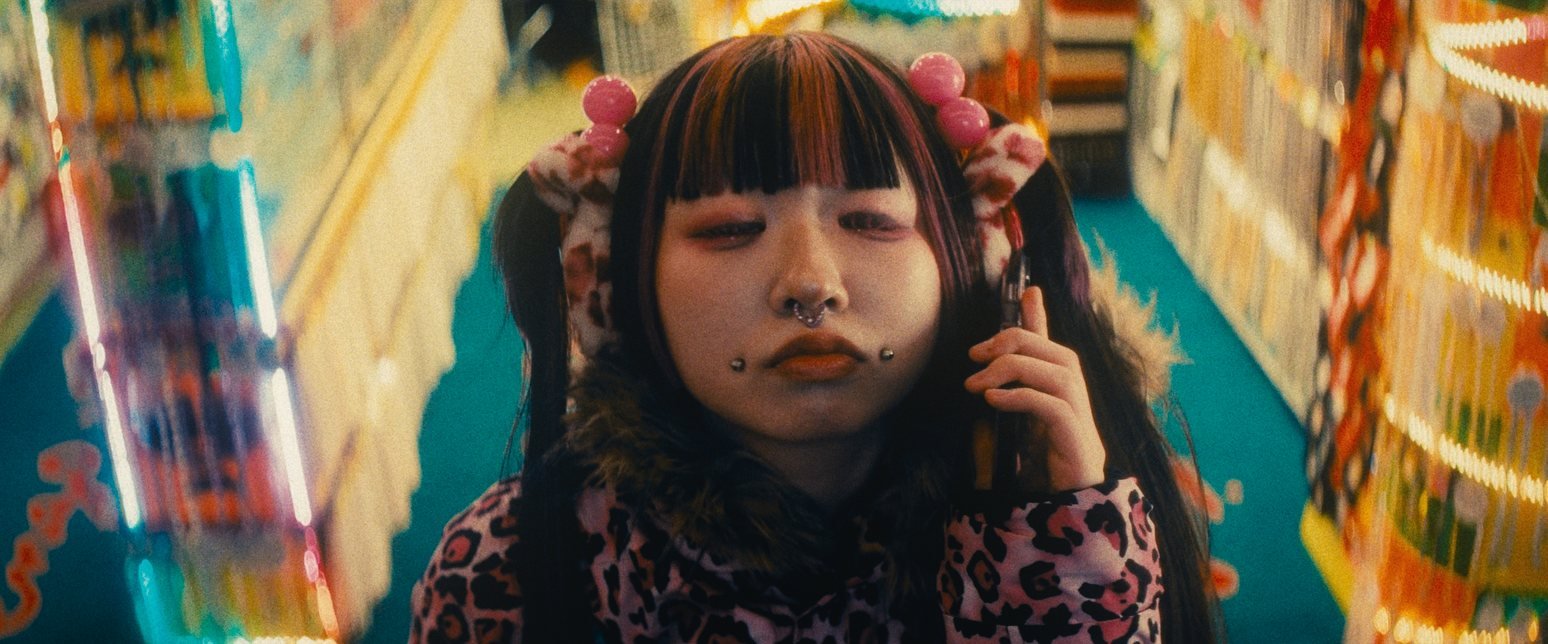
Drag to compare. Kodak 2383 print, 35 mm ISO 250 grain, 35 mm halation, Mist Filter Light bloom and a vignette — one node, rendered in DaVinci Resolve.
The full version is out for Mac — $148. One licence key covers DaVinci Resolve and Premiere Pro / After Effects, on 2 Macs. Windows is DEMO for now. The DEMO is the complete plugin with a watermark — try every section on your own footage today.
Print films
Four prints. One click.
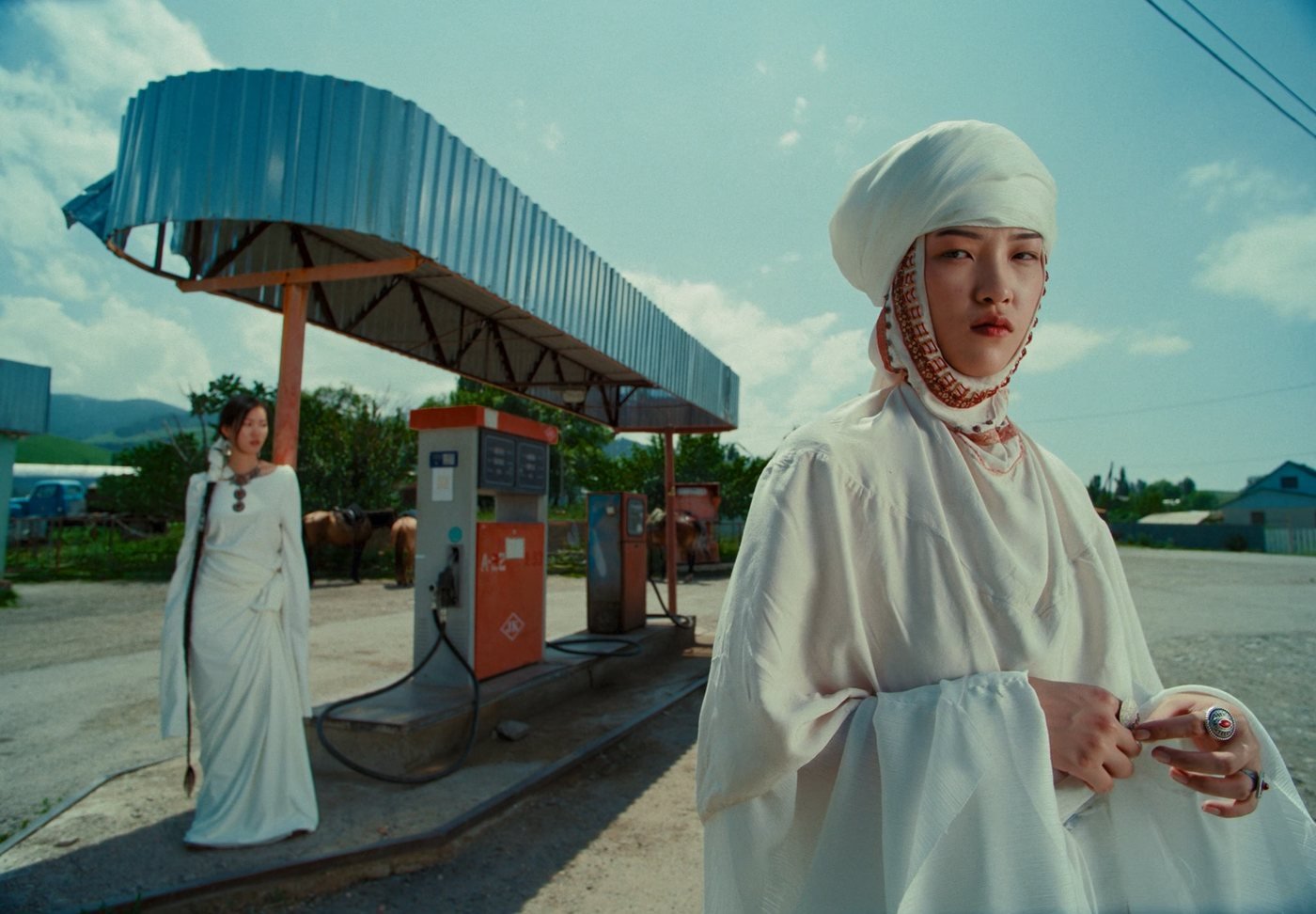
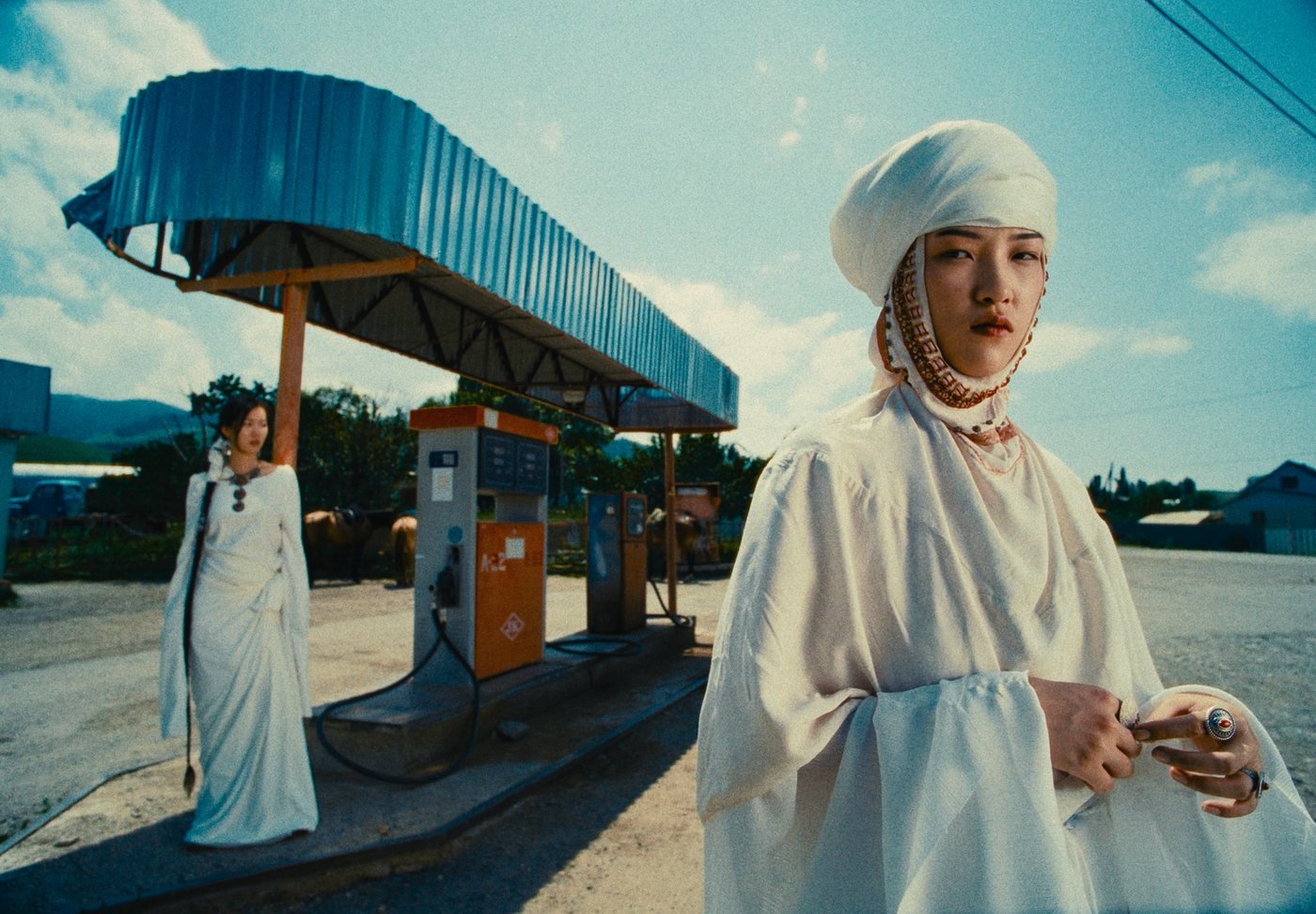
Same frame, same grain and halation — only the print film changes. Each print is built from the film's published technical data. Plus Linear and Cineon Film Log for your own print workflow, and Print Tone to win back exposure, midtones, shadows and highlights after the print.
Inside DaVinci Resolve
The whole lab in the Inspector.
Each section has its own profile and its own Enabled switch. Open only what you need.
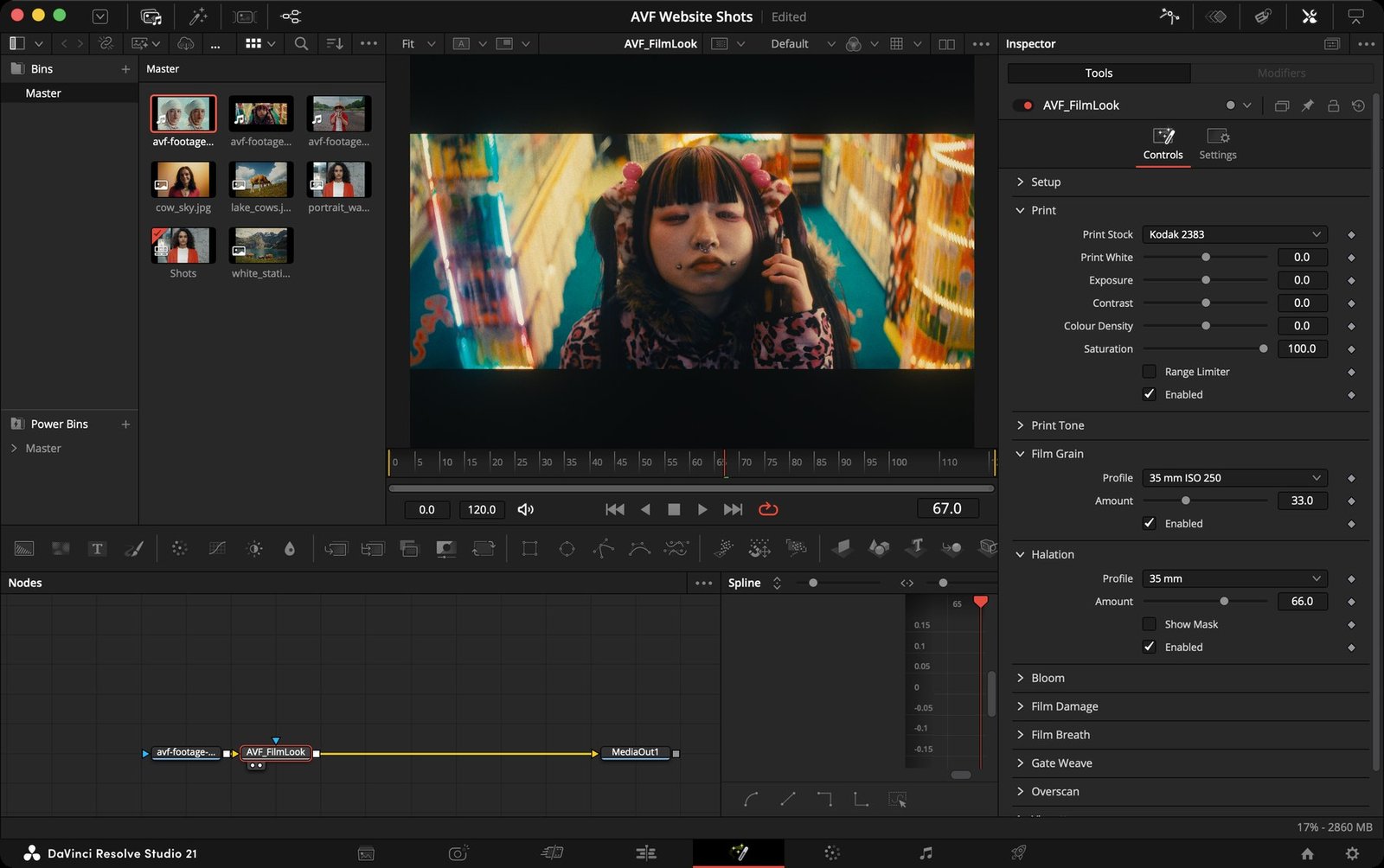
DaVinci Resolve Studio 21. On the Color page: Effects › OpenFX › AVP Tools › AVF FilmLook. In Premiere Pro and After Effects: Effects › Video Effects › AVP Tools.
Eleven sections
Everything film does to a picture.
- 01Print — Kodak 2383, Fujifilm 3513, Kodak 2393, Kodak 5386, Linear or Cineon Film Log, with exposure, contrast, colour density and saturation.
- 02Print Tone — win back exposure, midtones, shadows and highlights after the print.
- 03Film Grain — 8, 16, 35 and 65 mm at ISO 50, 250 and 500, or Custom: size, resolution, tones, chroma, film or digital.
- 04Halation — the red glow around bright lights, per gauge, with or without the film's backing.
- 05Bloom — soft light spread per gauge, plus Mist Filter Light and Strong.
- 06Film Damage — dust, hairs and scratches, from Super 8 to 65/70 mm.
- 07Film Breath — the gentle frame-to-frame flicker of exposure, contrast and colour.
- 08Gate Weave — film moving in the gate: horizontal, vertical and rotation, with auto zoom.
- 09Overscan — the film gate and perforations, from Super 8 to 65 mm anamorphic.
- 10Vignette — exposure, size, feather, aspect and centre.
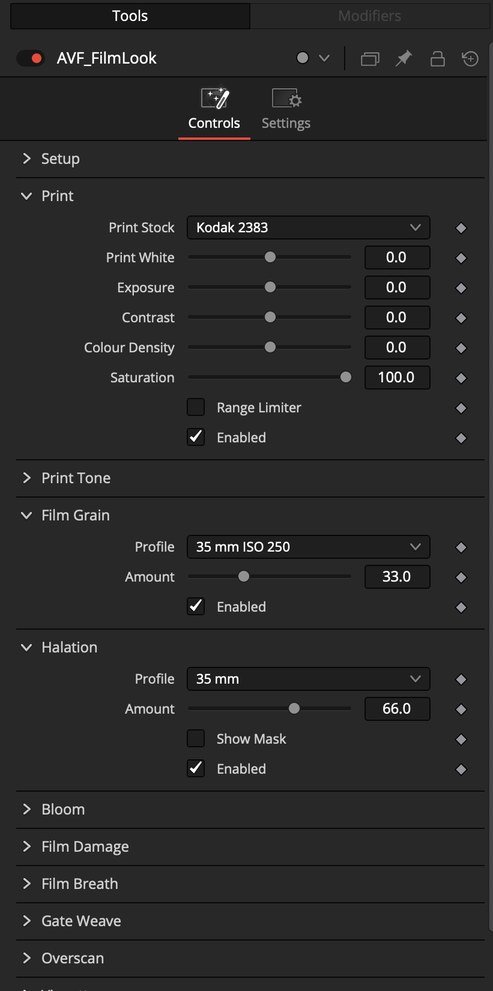
- 11Monitor — False Color with a skin marker, Show Skin and Clipping.
Monitor
Expose skin where it belongs.
False Color paints exposure in bands, with a SKIN marker on the legend so you can place faces before you add the film. Clipping shows what's lost; Show Skin shows what's protected.
Get AVF FilmLook
Try it free. On your footage.
Pick your software and computer and download the DEMO. It has every section and every control, with a watermark over the picture.
| DEMO · free | Full version | |
|---|---|---|
| All eleven sections, every profile | ✓ | ✓ |
| Kodak 2383, Fujifilm 3513, Kodak 2393, Kodak 5386 prints | ✓ | ✓ |
| Watermark | On every frame | None |
| Available | Now | Now — on Mac |
The full version is out for Mac, covering DaVinci Resolve and Premiere Pro / After Effects. Your purchase comes with a licence key by email, good for 2 Macs — manage your licence here. Windows is DEMO for now: follow @av_filmmakerr or email avfstoree@gmail.com.
AVF FilmLook 5.2.6
Full version $148 · free DEMO for every platform
- DaVinci Resolve 18 or later (free or Studio)
- macOS 11 Big Sur or later
- Apple Silicon or Intel Mac
You download Full: AVF FilmLook 5.2.6 - DaVinci Resolve - Mac.zip
DEMO: AVF FilmLook 5.2.6 DEMO - DaVinci Resolve - Mac.zip
Secure checkout by Payhip. The DEMO is a free download — just your email.
Install
Ready in a minute.
The DaVinci Resolve downloads have no installer: copy the plugin into Resolve's plugins folder, or paste one line in Terminal or PowerShell — two short guides are inside. In Premiere Pro & After Effects: copy and paste on Windows; the Mac download comes with an installer.
Questions
Good to know
When is the full version out?
Soon. Until then the DEMO has every feature, with a watermark. Follow @av_filmmakerr for the launch.
Do I need DaVinci Resolve Studio?
No. AVF FilmLook works in DaVinci Resolve 18 or later, free or Studio.
Can I use it with AVF FilmGrade?
Yes — that's how it's meant to be used. Put AVF FilmGrade first for the colour and AVF FilmLook after it for the print film and texture.
Which versions are there?
The FilmLook DEMO is available for DaVinci Resolve and for Premiere Pro & After Effects, each on Mac and Windows. The Premiere Pro & After Effects version is one effect for both apps.
Is it affiliated with Kodak or Fujifilm?
No. The print films are emulations made from each film's published technical data. Kodak and Cineon are trademarks of Eastman Kodak Company; Fujifilm is a trademark of FUJIFILM Corporation.
Start with the colour
Grade first, then add the film.
AVF FilmGrade puts the picture in place: Grade, Hue and Density pages in one node.