OpenFX plugin · DaVinci Resolve · Premiere Pro · After Effects

AVF FilmGrade 5.1.6

A full film grade in one node. Place the image, choose the mood, move every hue and give the colours real density — on the GPU, on Mac and Windows. The AVF FilmGrade, FilmHue and FilmDensity DCTLs, now one plugin with three pages.

Resolve · Mac & Windows Premiere Pro & After Effects · Mac & Windows Export LUT
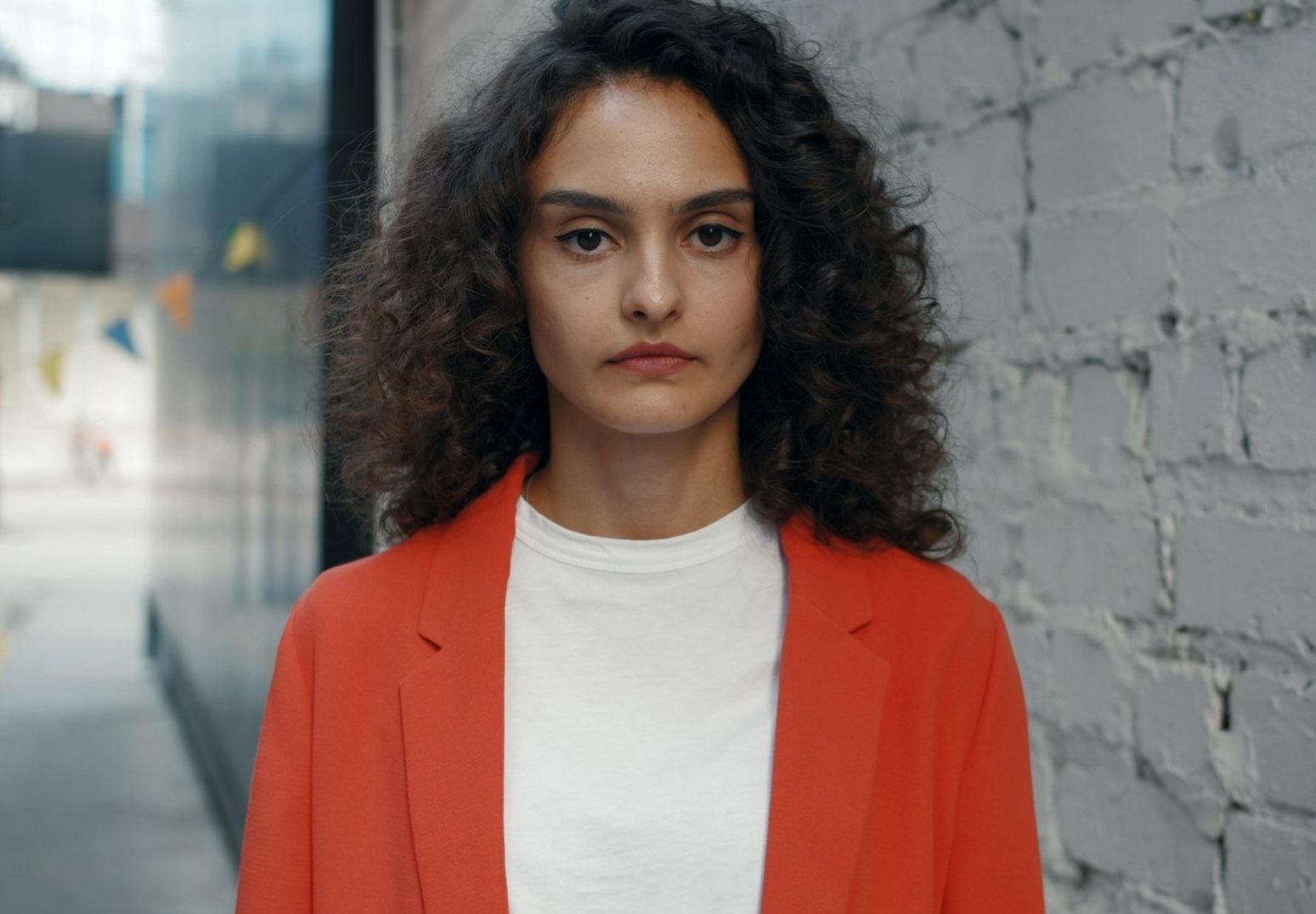
Portrait in an orange jacket, before AVF FilmGrade
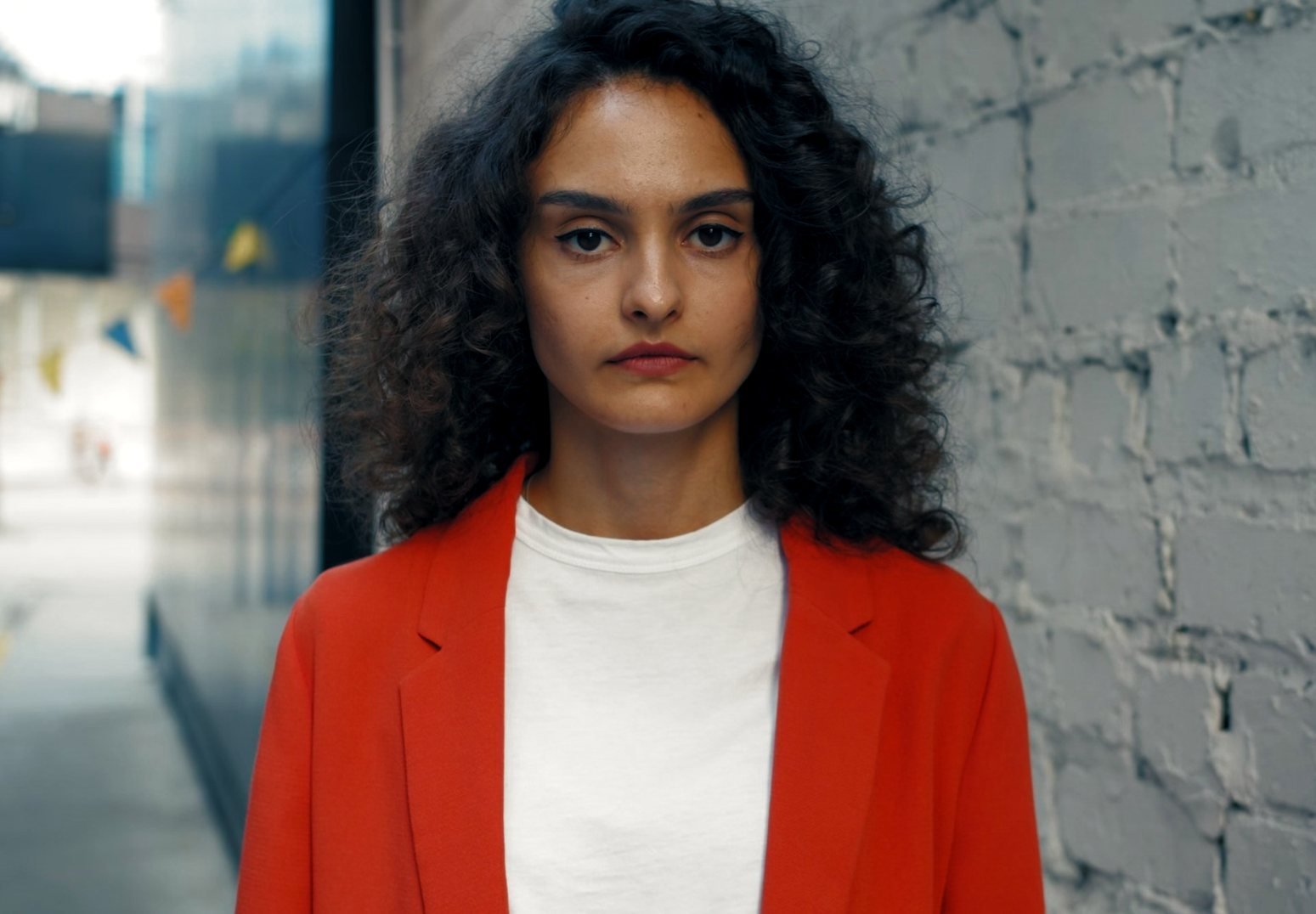
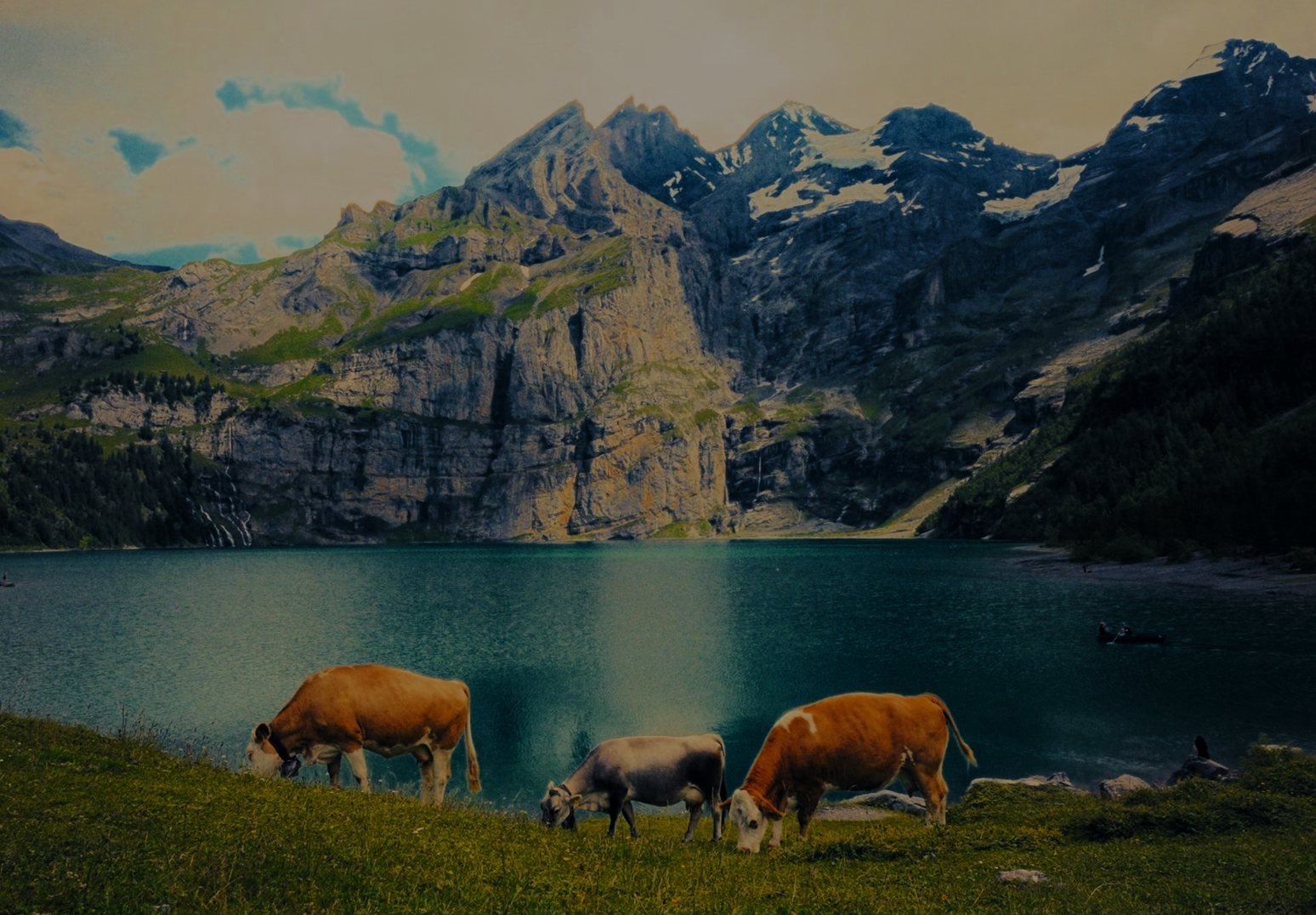
The same portrait after AVF FilmGrade with the AVP Default look
BeforeAVF FilmGrade

Drag to compare. One AVF FilmGrade node with the AVP Default look — nothing else on the clip. Rendered in DaVinci Resolve.

Three pages + skin

Grade. Hue. Density. One node.

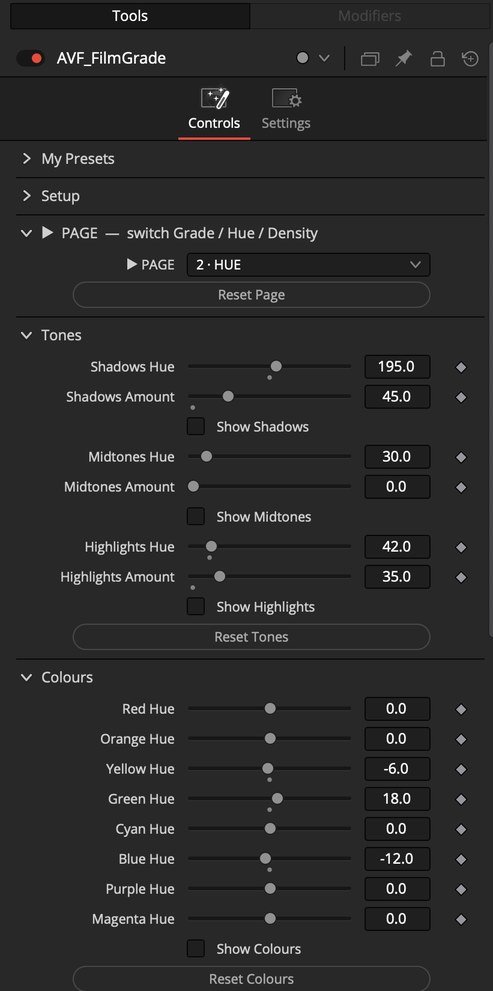
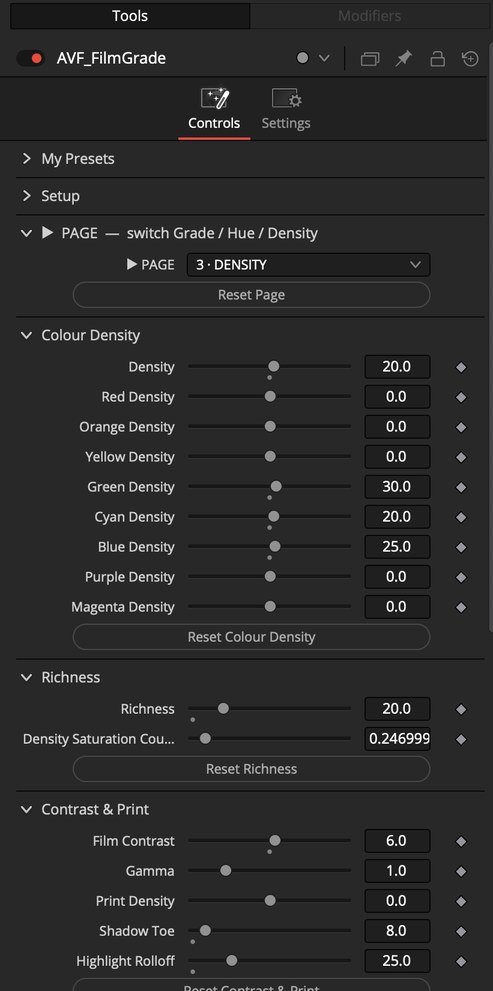
Switch pages with the PAGE menu at the top of the plugin. All three work together on the same picture, and a page left at its defaults costs nothing.

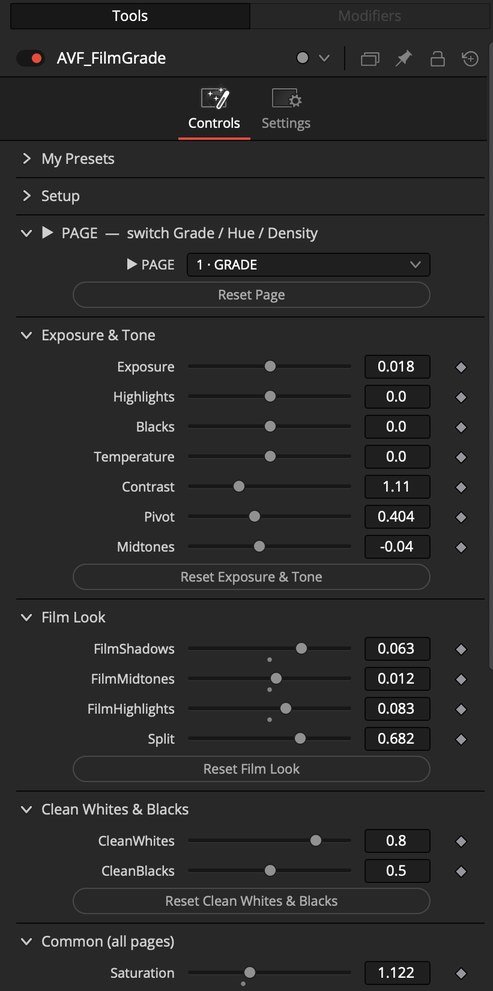
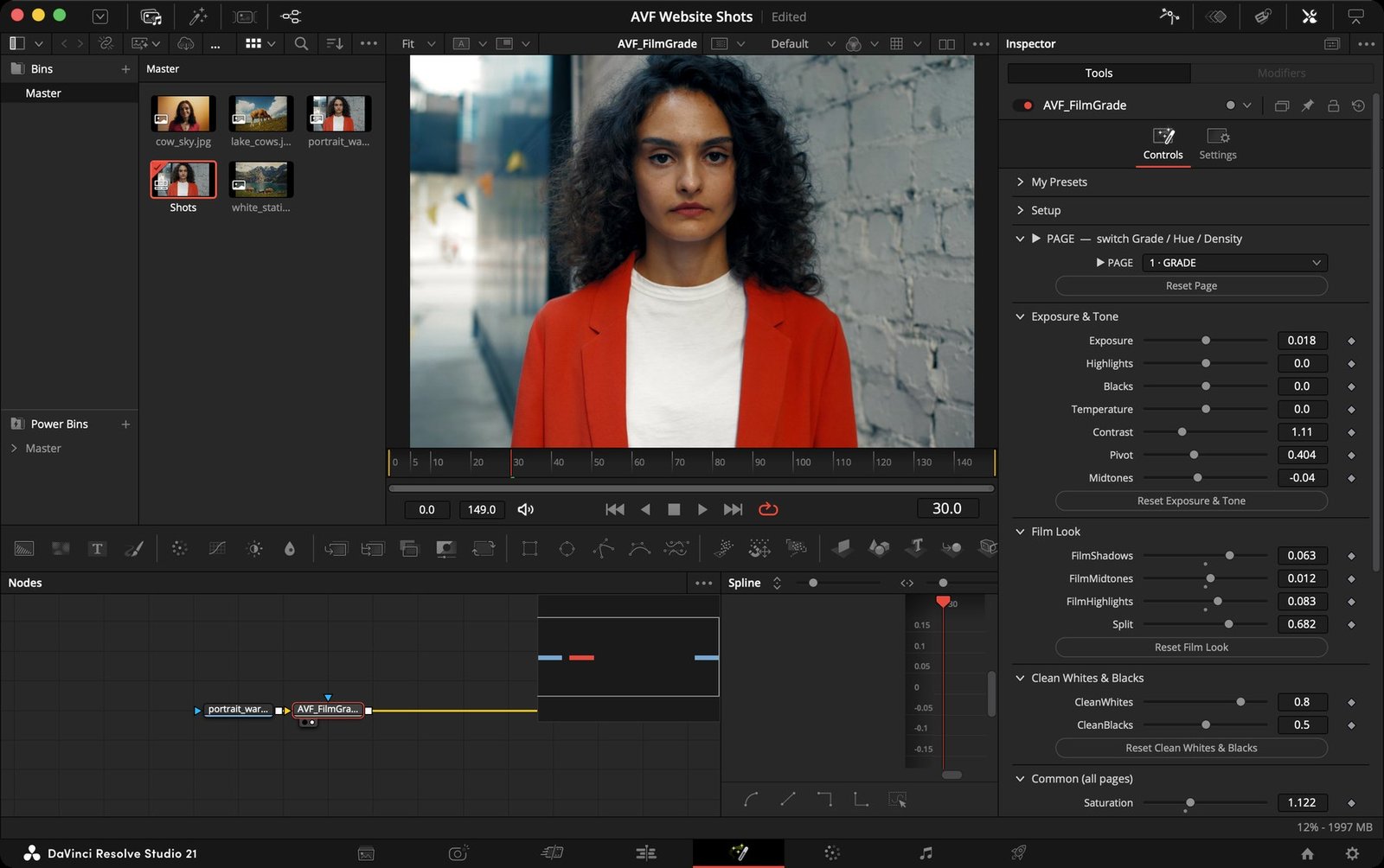
AVF FilmGrade Grade page in the Resolve Inspector: Exposure & Tone, Film Look, Clean Whites & Blacks

Page 1

Grade — place it, then find the mood

Warm portrait before
Warm portrait after the Grade page, AVP Default look
BeforeGrade
  • Exposure & Tone — Exposure, Highlights, Blacks, Temperature, Contrast, Pivot and Midtones put the frame in the right place.
  • Film Look — FilmShadows, FilmMidtones and FilmHighlights set the warm or cool mood; Split moves where the zones meet. They start at 0: no tint until you add it.
  • Clean Whites & Blacks — take colour casts out of the brightest and darkest areas.
  • Common — Saturation and Strength work on all three pages at once.

Inside DaVinci Resolve

Built like a colourist's node.

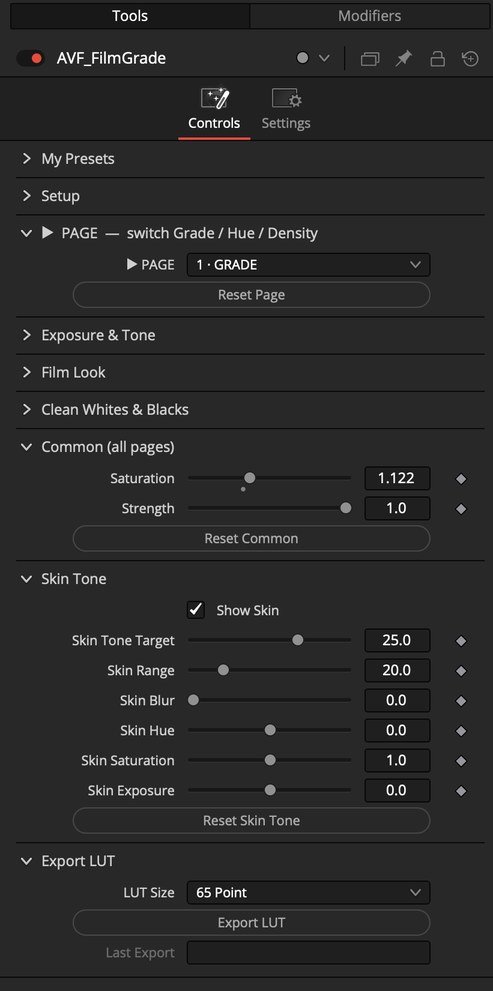
Every section can be reset on its own. My Presets sits at the top, Export LUT at the bottom.

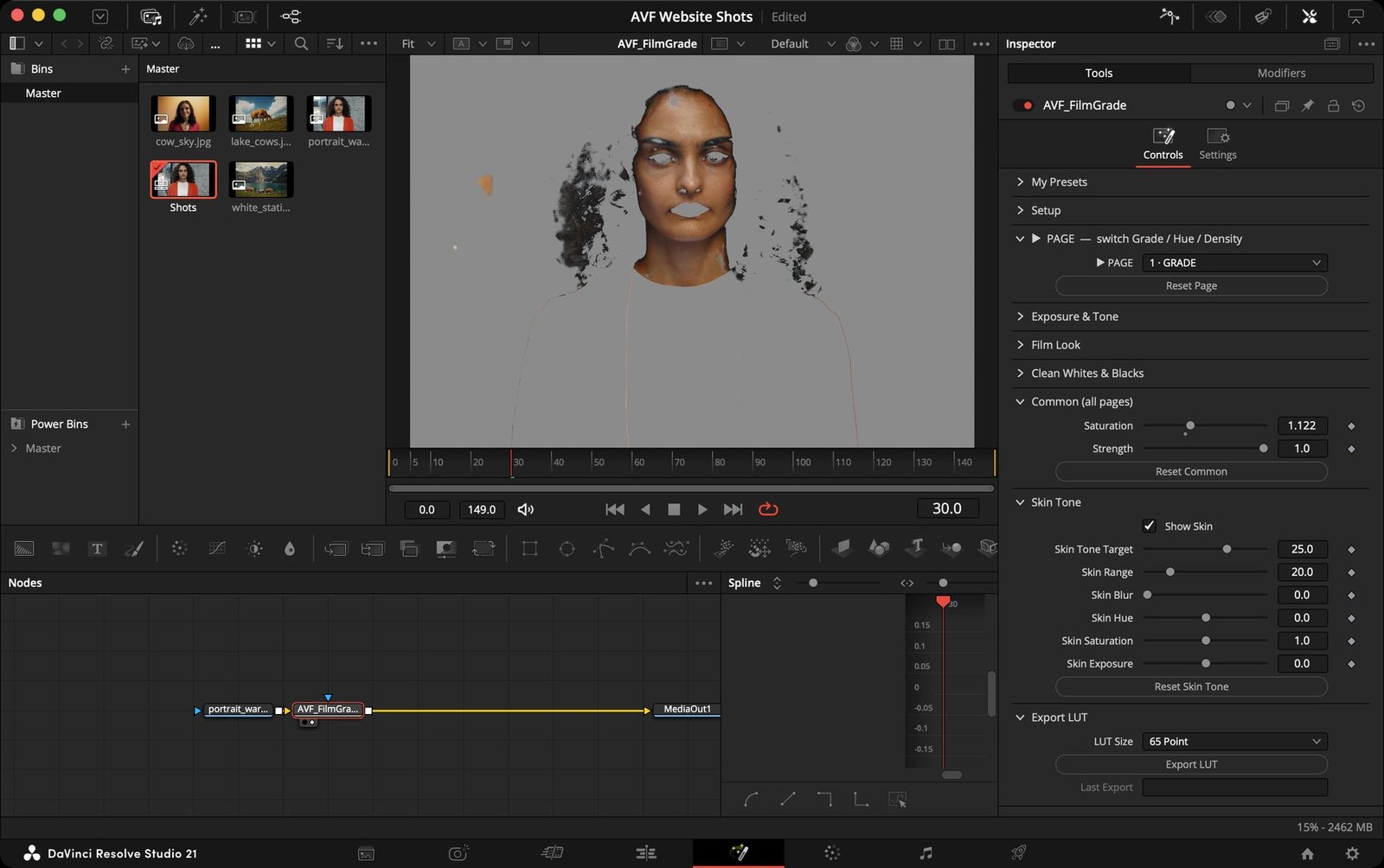
DaVinci Resolve Studio 21 with AVF FilmGrade applied: viewer, node graph and the Grade page controls

DaVinci Resolve Studio 21. On the Color page: Effects › OpenFX › AVP Tools › AVF FilmGrade 5.1.6. In Premiere Pro and After Effects: Effects › Video Effects › AVP Tools.

Also inside

Everything a grade needs.

01

Camera-log input

Input Colour Space for 18 cameras and spaces: ARRI LogC3 and LogC4, RED Log3G10, Sony S-Log3, Canon Log 2 and 3, Panasonic V-Log, F-Log and F-Log2, N-Log, D-Log, Apple Log, iPhone HDR, Blackmagic Film Gen 5, DaVinci Wide Gamut, ACEScct and Rec.709.

02

Output your way

Rec.709, sRGB, Rec.2020, P3-D65, DaVinci Wide Gamut, ACEScct or Same as Input — plus a Timeline (automatic) option in DaVinci Resolve.

03

My Presets

Save your own looks and load them on any clip. Three looks to start from: AVP Default, Clean Commercial and LowLight Warm.

04

Export LUT

Turn any look into a 17, 33 or 65-point .cube LUT for monitors, cameras and other apps. Full version.

05

GPU accelerated

Metal on Mac, CUDA or OpenCL on Windows. Made to keep playback smooth with other effects in the same grade.

06

Footage-safe

Built-in guards keep pushed settings clean — no speckles or broken colours in log footage, even at extreme values.

In motion

See it move.

Moving footage graded with AVF FilmGrade — skin, skies, shadows and highlights in the same story.

Daylight portraitBright daylight and pale clothing stay balanced while the image gains a gentle cinematic contrast.
Colour + skinSkin stays natural while a colourful background keeps its energy.
Natural outdoor tonesSoft skin, believable greens and calm outdoor shadows.

Get AVF FilmGrade

Pick your platform. Start grading.

Choose your software and computer. Each platform is its own download and its own licence — $78 each. Start with the free DEMO: it's the whole plugin with a watermark.

DEMO · freeFull · $78
Grade, Hue and Density pages, Skin Tone✓✓
Camera-log input, My Presets✓✓
WatermarkGrid of small plus signsNone
Export LUT (.cube)—✓
Install & User Guide (PDF)✓✓

The DEMO and the full version can be installed side by side — they show up as two plugins.

AVF FilmGrade 5.1.6

One licence per platform

$78
Your software
Your computer
  • DaVinci Resolve 18 or later (free or Studio)
  • macOS 11 Big Sur or later
  • Apple Silicon or Intel Mac

You download Full: AVF FilmGrade 5.1.6 - DaVinci Resolve - Mac.zip
DEMO: AVF FilmGrade 5.1.6 DEMO - DaVinci Resolve - Mac.zip

Secure checkout and instant download by Payhip.

Install

No installer. Copy and paste.

Every download has the plugin and two short guides: How to install 1 – Copy and paste and How to install 2 – Terminal (Mac) or PowerShell (Windows). Use either one.

Unzip the download

Open the .zip from Payhip. Inside: the plugin, the two install guides, the Install & User Guide and the licence.

Copy the plugin

Paste it into the plugins folder for your software — the guide shows the exact folder. Your computer asks for your password (Mac) or a Continue click (Windows).

Open your software

Resolve: Color page › Effects › OpenFX › AVP Tools. Premiere Pro & After Effects: Effects › Video Effects › AVP Tools.

Questions

Good to know

Do I need DaVinci Resolve Studio?

No. AVF FilmGrade works in DaVinci Resolve 18 or later, free or Studio.

I use a Mac and a Windows PC. Do I buy twice?

Yes — each platform is a separate download made for that system, $78 each. Buy the one for the computer and software you grade on.

Does one purchase cover Premiere Pro and After Effects?

Yes. The Premiere Pro & After Effects version is one effect that works in both apps, on the computer you chose.

What's different in the DEMO?

The DEMO has every control, but puts a grid of small plus signs over the picture and has no Export LUT. Install the full version next to it whenever you're ready.

Where are AVF FilmHue and AVF FilmDensity?

They're inside AVF FilmGrade 5.1.6 as the Hue and Density pages, with the Grade page in front of them and one shared colour space.

How do I get my download?

After checkout, Payhip shows your download link straight away and emails it to you. Keep that email — it's how you download again later.

What if it doesn't run on my computer?

Email avfstoree@gmail.com with your system and software version. For the Windows and After Effects versions, if we can't fix it, you get a full refund.

Next step

Add the film after the grade.

AVF FilmLook puts print film, grain and halation after AVF FilmGrade — free DEMO for Resolve, Premiere Pro and After Effects.