 AVF STORE

AVF FilmGrade 5.1.6
A complete film grade in three pages — Grade, Hue and Density — with camera-log input, skin-tone controls, your own presets and LUT export.
$78per platform · free DEMO for every platform
AVF STORE · by Anurag, A Video Productionz
Two GPU plugins for DaVinci Resolve, Premiere Pro and After Effects. AVF FilmGrade shapes the colour. AVF FilmLook adds the print film, grain and halation. Try both free on your own footage, on Mac or Windows.
The plugins
Use them alone or together: FilmGrade first for the colour, FilmLook after it for the film texture.
A complete film grade in three pages — Grade, Hue and Density — with camera-log input, skin-tone controls, your own presets and LUT export.


Print film, grain, halation, bloom, gate weave and more — the film process in one node, with Kodak 2383, Fujifilm 3513, Kodak 2393 and Kodak 5386 print emulations.
Inside DaVinci Resolve
Real screenshots from DaVinci Resolve Studio 21. Pick a page, move a slider, see it on the picture.
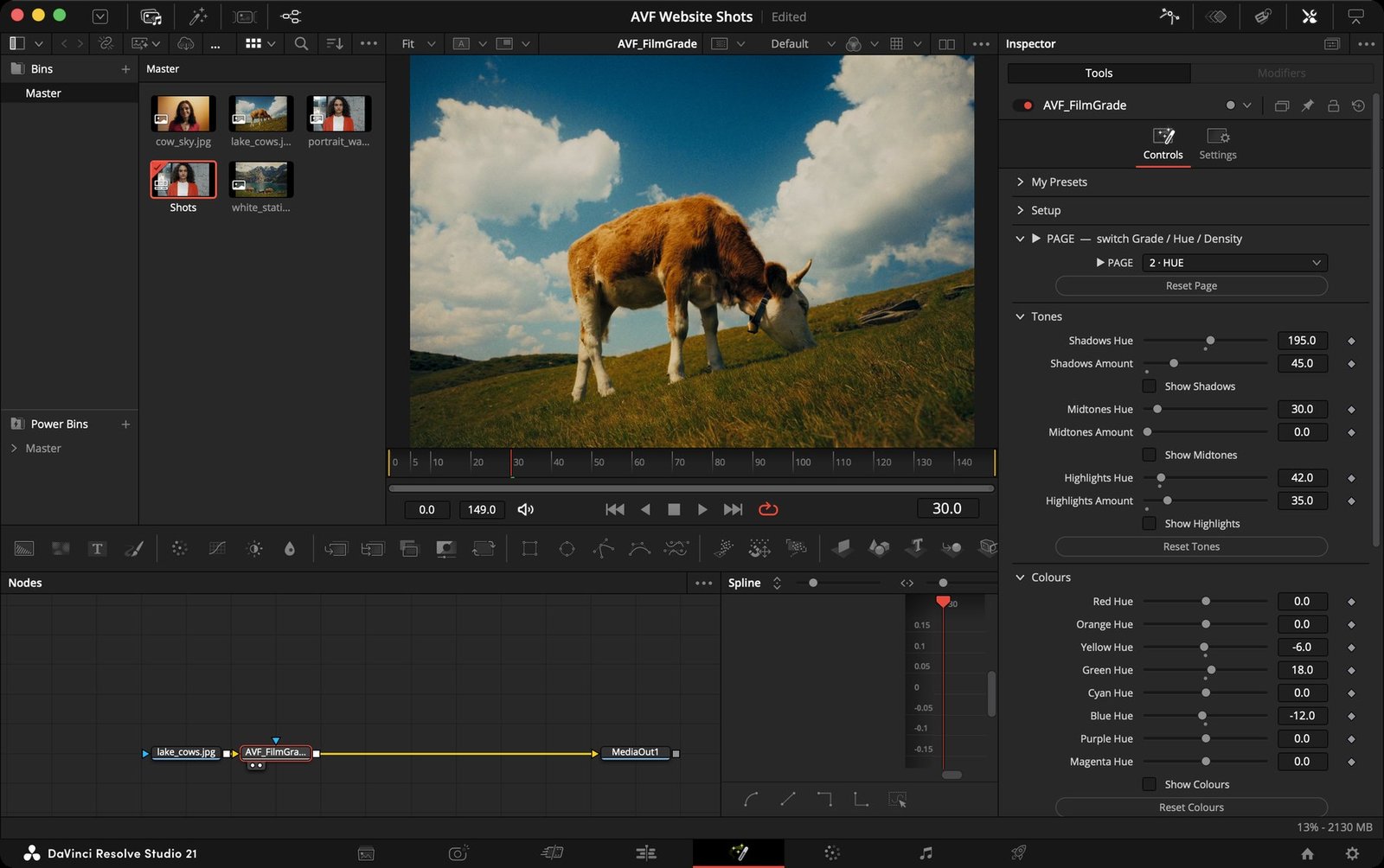
AVF FilmGrade 5.1.6, Hue page. On the Color page you'll find it in Effects › OpenFX › AVP Tools.
Where it works
Each platform is its own download, made for that software and system. Pick yours.
Resolve 18+ (free or Studio) · macOS 11+ · Apple Silicon or Intel
Resolve 18+ (free or Studio) · Windows 10/11 64-bit · NVIDIA, AMD or Intel
2023 or later · macOS 11+ · Apple Silicon or Intel
2023 or later · Windows 10/11 64-bit · CUDA or OpenCL
How it works
Pick the plugin, your software and your computer. Start with the free DEMO — it's the full plugin with a watermark.
Secure checkout by Payhip. Free DEMOs only ask for your email. Your download link appears straight away and is emailed to you.
No installer: copy the plugin into your plugins folder, or paste one line in Terminal or PowerShell. Two short guides are in every download.
Try before you buy
Every control works in the DEMO. Grade your own footage, then decide.